GetClawHub delivers OpenClaw directly to your device — no hunting for installers, no broken download links, no setup headaches. Start chatting with OpenClaw in minutes, with unlimited free conversations waiting for you right now, zero strings attached.
Getting AI tools up and running shouldn't feel like a chore. GetClawHub strips away every unnecessary step between you and a working OpenClaw installation, so you can focus on what matters: having great conversations and getting real work done.
No manual package hunting. No broken `.dmg` files from sketchy mirrors. GetClawHub bundles everything — click once, and OpenClaw installs cleanly on your Mac, ready to launch immediately.
We believe you should experience OpenClaw before you commit. That's why every new visitor gets unlimited full, unrestricted conversations with OpenClaw — completely free, right out of the box. No sign-up required to try.
Every download hosted on GetClawHub is cryptographically signed and integrity-checked. You'll always get the most recent stable release of OpenClaw — never an outdated version, never a tampered binary.
Whether you're on Apple Silicon (M1–M4) or Intel Mac, GetClawHub delivers the right OpenClaw build for your chip — automatically. No guessing, no wrong download.
First time using OpenClaw? Our guided setup wizard walks you through initial configuration, API keys (if needed), and best-practice settings — so even non-technical users land on their feet.
Registered users receive in-app alerts whenever a new version of OpenClaw drops. Update with a single click, keeping your installation current and your conversations powered by the latest model improvements.
From free daily conversations to enterprise-grade reasoning — pick the perfect model for every task.

Top-tier reasoning with massive context window for complex problem-solving.

Multimodal powerhouse with image and video understanding at an unbeatable price.

Anthropic's flagship for complex reasoning, coding, and nuanced creative tasks.

The only model supporting all 5 modalities: text, image, audio, video, and file.

Massive 2M token context for processing entire codebases or long documents.
Anthropic's most powerful model for mission-critical, complex workloads.

OpenAI's most advanced model for demanding enterprise workloads.
All model names, brands, and logos are property of their respective owners. This page is for informational purposes only and does not imply any official partnership or endorsement.
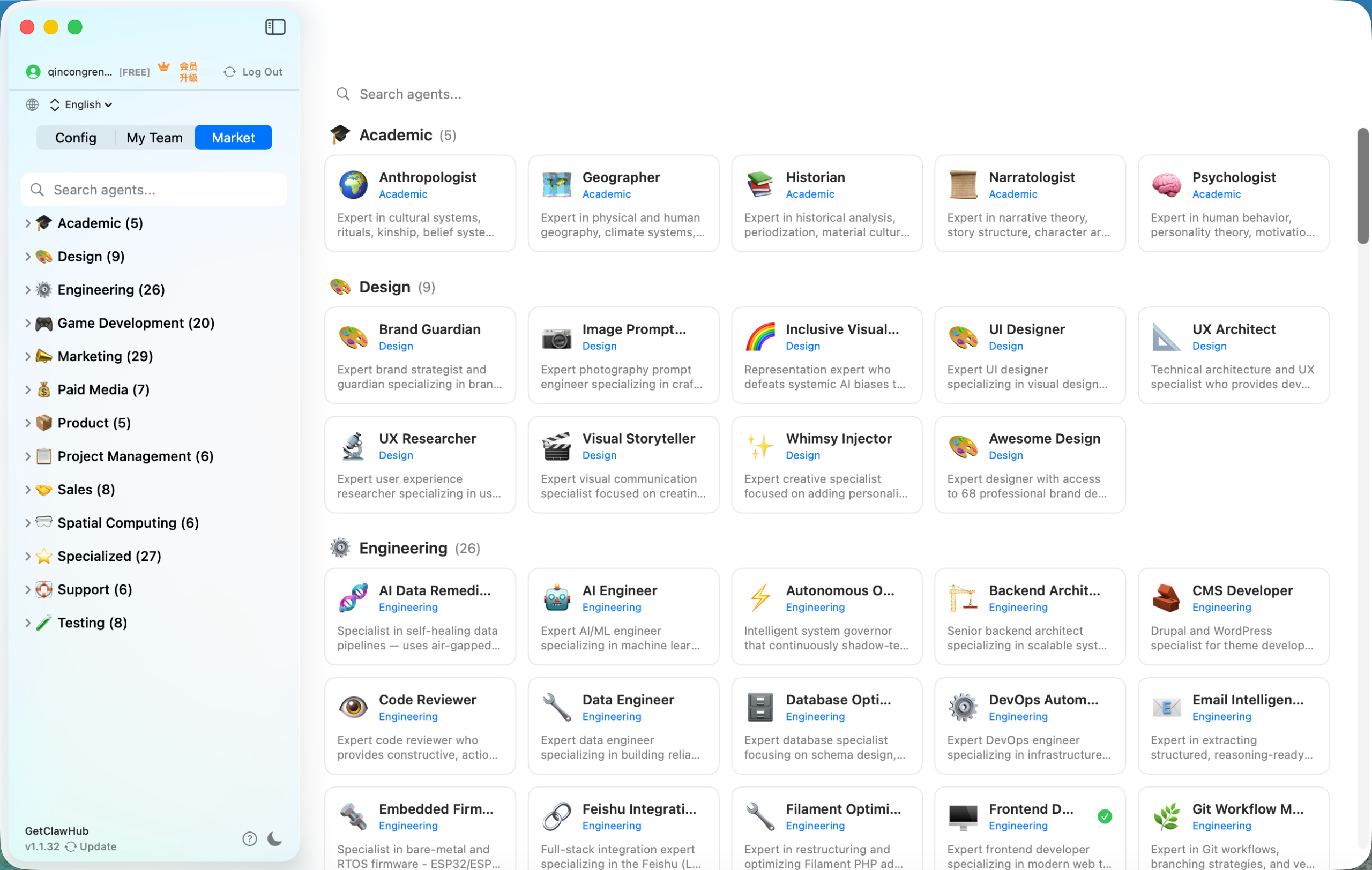
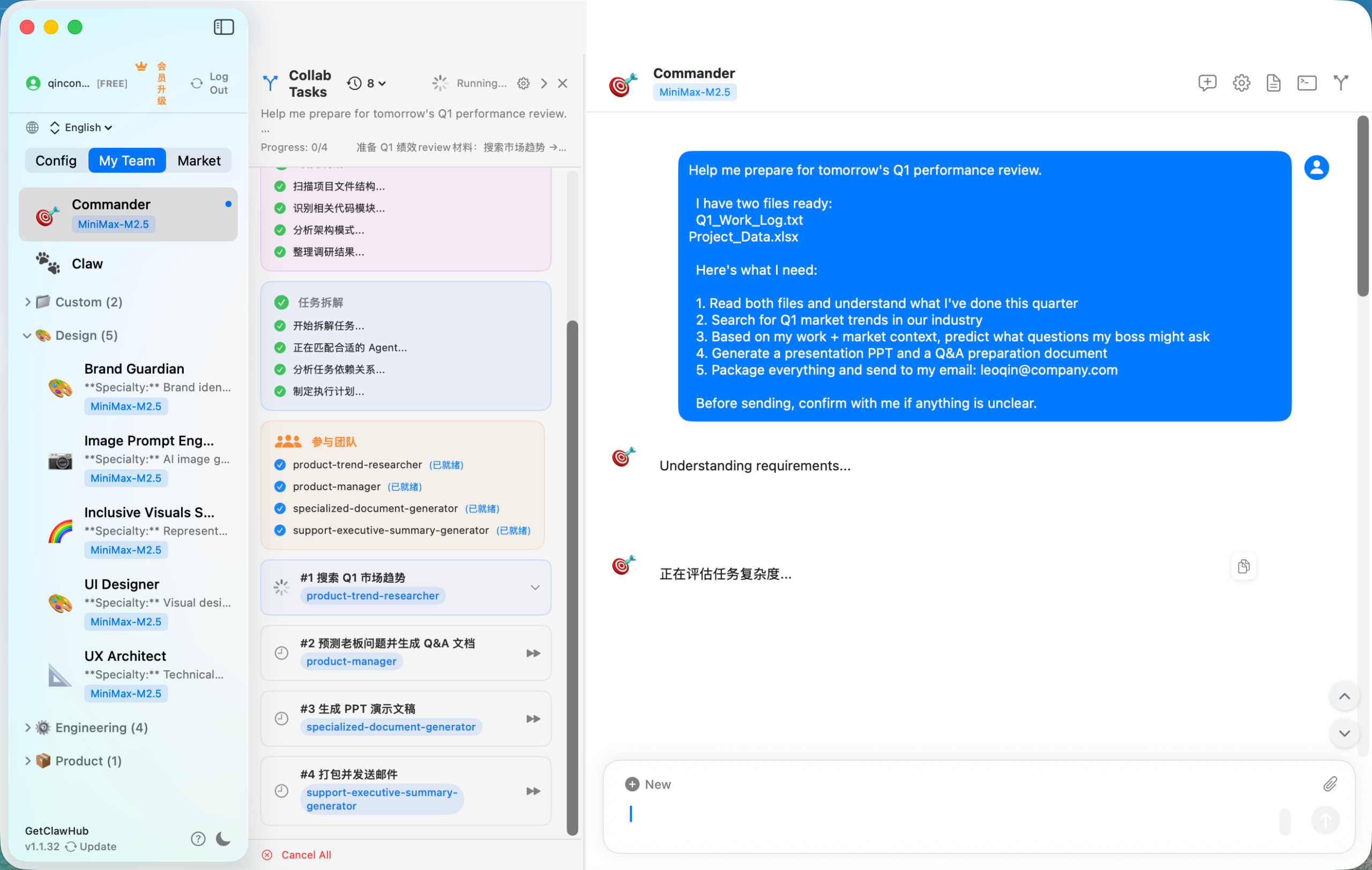
OpenClaw's latest client update brings powerful new ways to work — from collaborative multi-agent systems to a thriving expert marketplace.
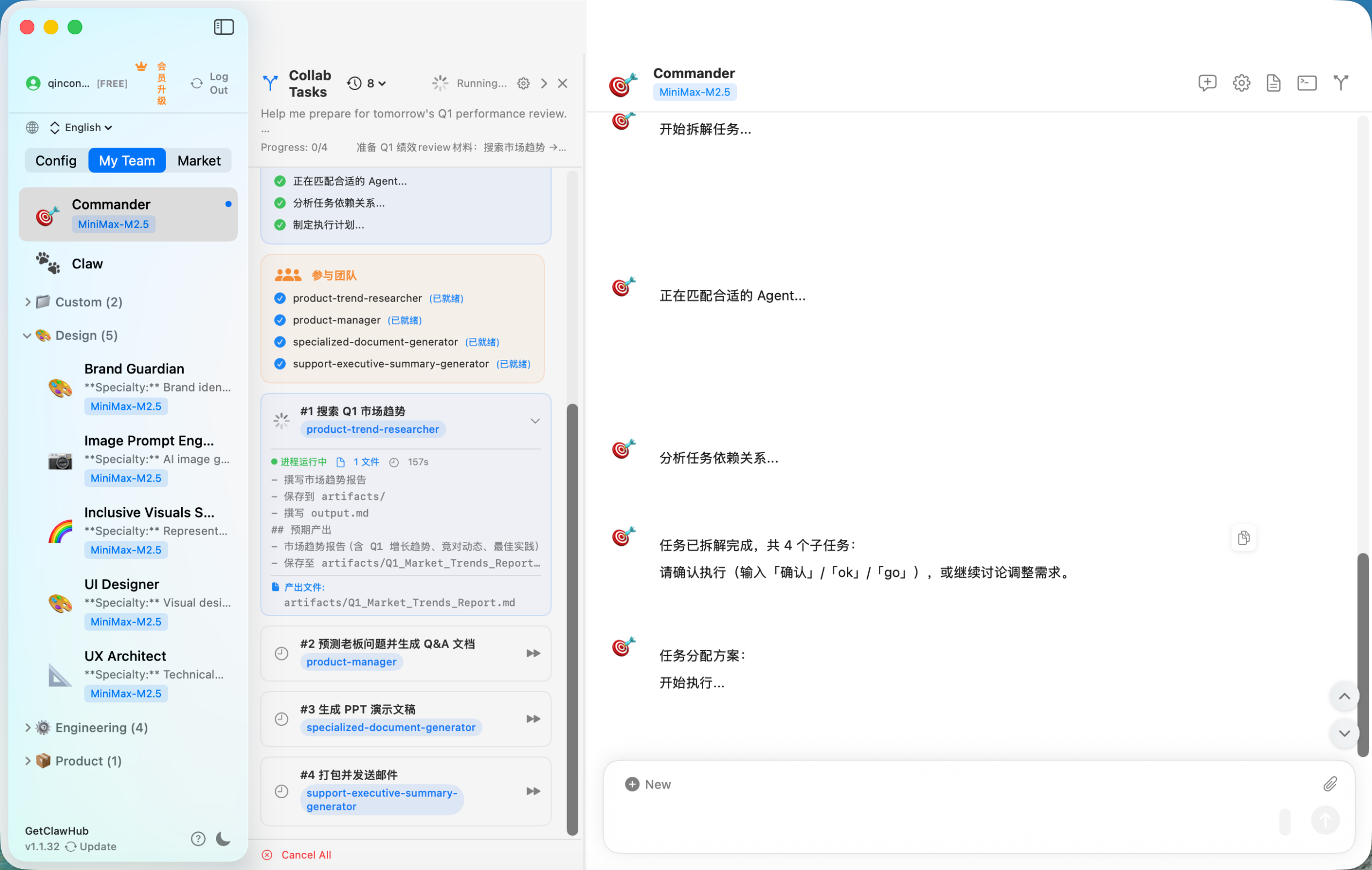
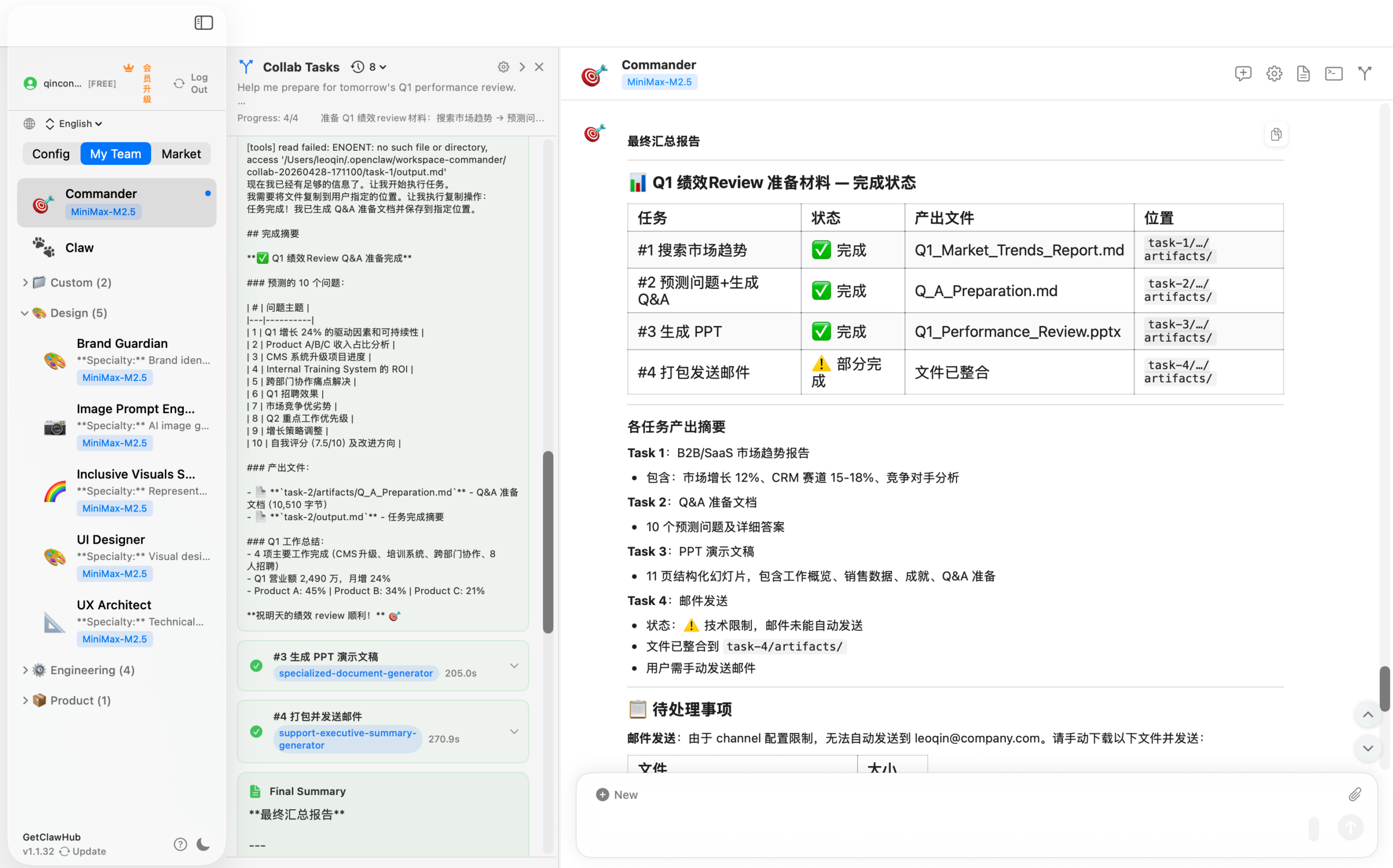
Work with multiple AI agents simultaneously, each specialized for different tasks. Deploy a coding assistant, a research analyst, and a creative writer at the same time — they collaborate in real-time to tackle complex projects.
Access a curated marketplace of expert-built prompts, agents, and workflows shared by the community. Find specialized solutions for your industry or share your own expertise.
Watch how multi-agent collaboration and the expert marketplace transform the way you work. From complex coding projects to creative campaigns — see the power firsthand.
We've obsessed over removing every unnecessary click so that your path from "I want to try OpenClaw" to "I'm chatting with OpenClaw" is as frictionless as humanly possible.
Land on our homepage. Your operating system is auto-detected, and the correct OpenClaw installer is ready and waiting. No account needed at this stage — just click the big download button.
Run the installer. It handles all dependencies, path configurations, and initial setup automatically. In under 60 seconds, OpenClaw is installed and launches itself, ready for your first conversation.
Enjoy your unlimited conversations with OpenClaw at no cost. When you're ready for unlimited access, create a free GetClawHub account and unlock the full experience in seconds.
We know that trust is earned, not asked for. That's why your unlimited conversations with OpenClaw are completely on us — full-quality, no feature restrictions, no watermarks. Experience exactly what OpenClaw can do before you ever consider registering.
GetClawHub isn't just a download portal — it's a complete platform for managing your OpenClaw experience, from first install through everyday use.
Our flagship feature: a single download button that delivers the correct, verified, latest-stable OpenClaw build for your exact Mac chip. No GitHub releases to parse, no README to follow, no terminal commands to copy-paste. Whether you're on Apple Silicon or Intel, GetClawHub is the fastest path from intent to a running OpenClaw installation — period.
Every OpenClaw chat is automatically saved to your GetClawHub account. Search, revisit, and export conversations as Markdown, PDF, or plain text anytime.
Set your tone preferences, output length, and response style once in GetClawHub. Every OpenClaw session picks them up automatically — no repetitive system prompts needed.
Know the exact OpenClaw version you're running. Receive notifications when updates ship, and upgrade in one click without losing your settings or conversation history.
Every installer is SHA-256 checksummed and served over HTTPS. GetClawHub's integrity pipeline ensures what you download is exactly what OpenClaw's developers shipped.
OpenClaw's interface is designed for clarity and speed. Explore each screen to see exactly what you'll be working with from day one.
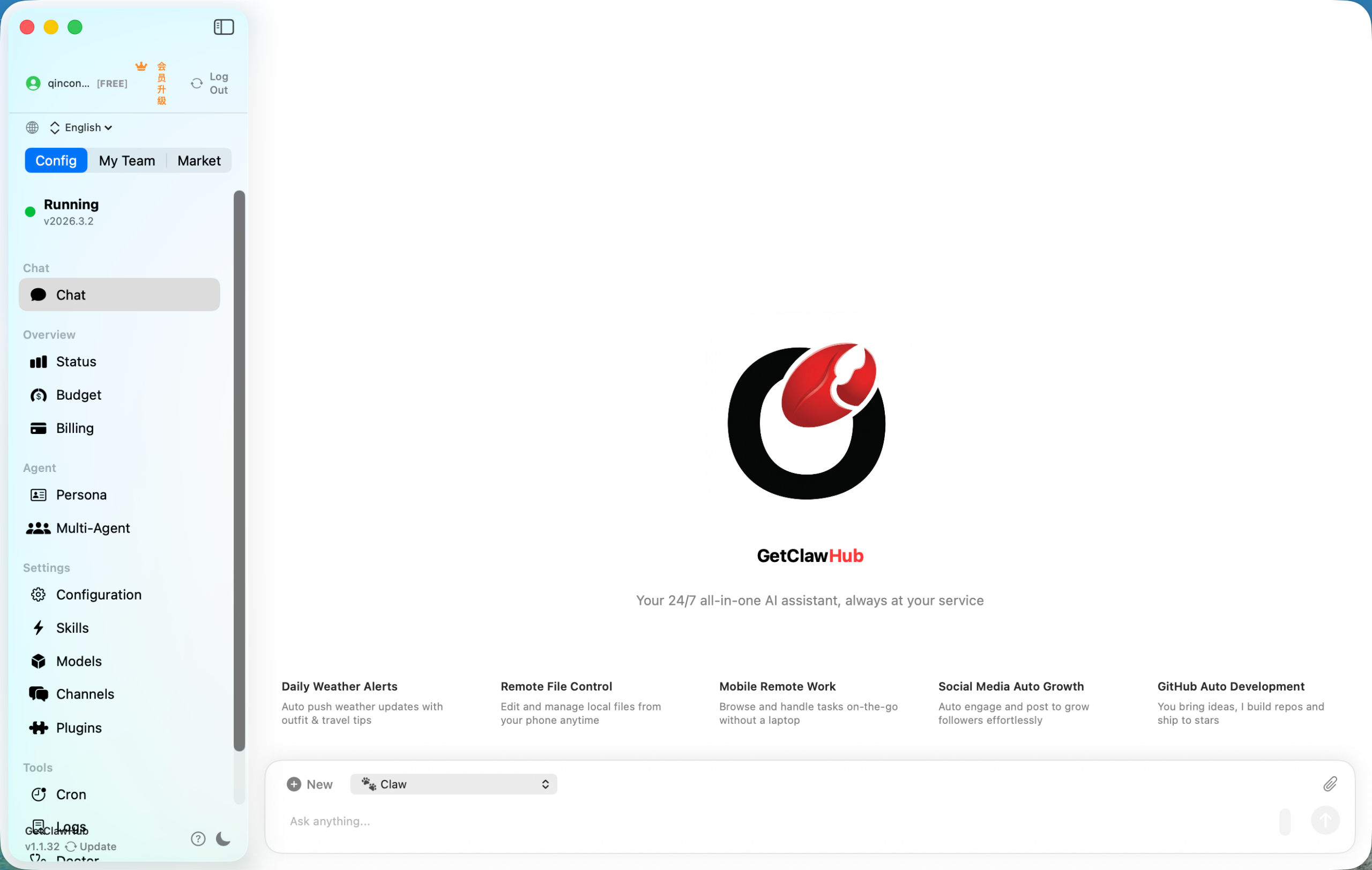
The OpenClaw home screen greets you with a clean, distraction-free layout. Your recent conversations, quick-start prompts, and navigation are all immediately accessible — no learning curve required. Start a new chat or pick up right where you left off.
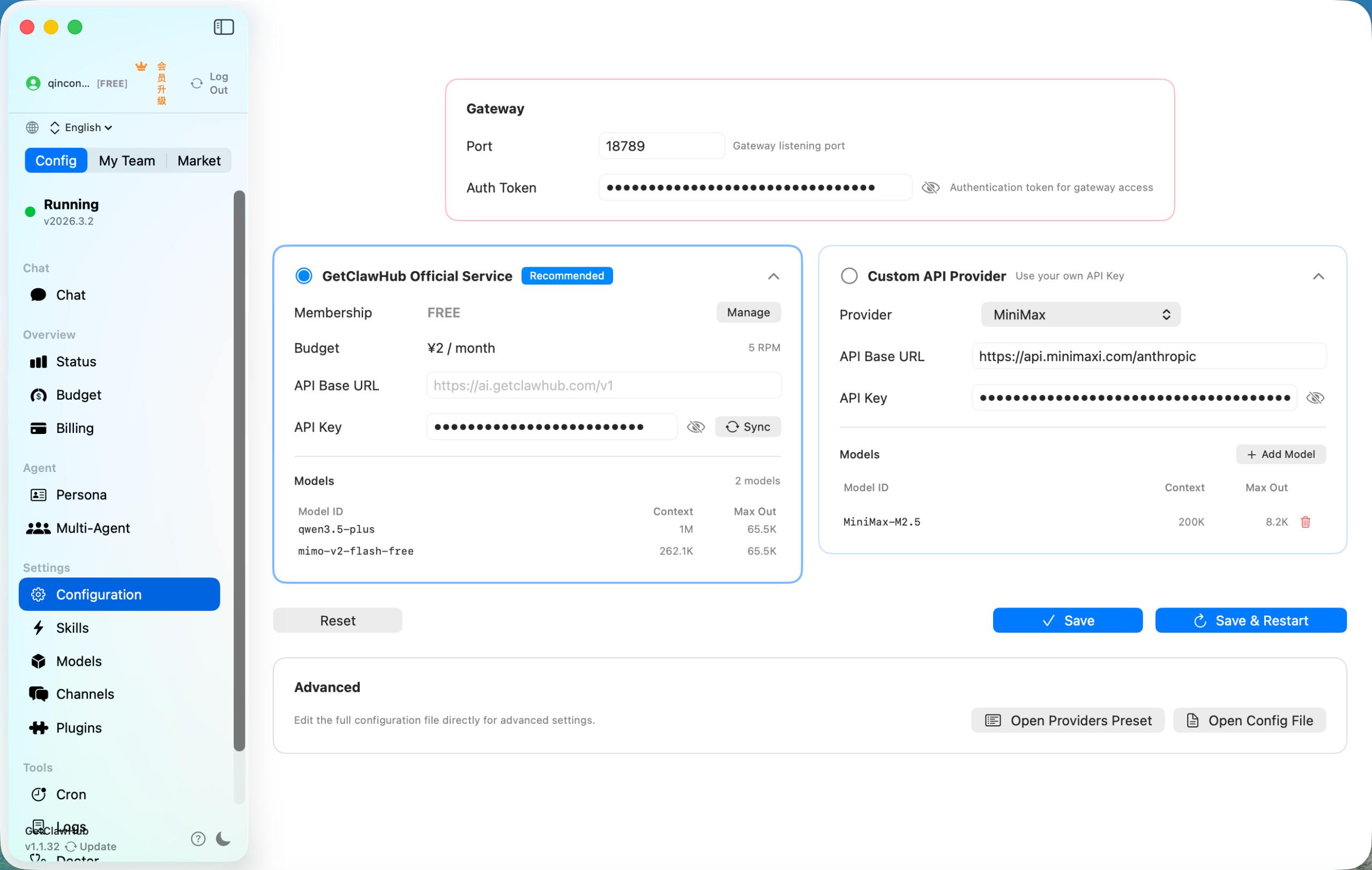
The Configuration page puts you in charge. Set your API keys, choose your preferred model, adjust response behavior, and fine-tune output style — all from one organized settings panel. Set it once, and every session reflects your preferences automatically.
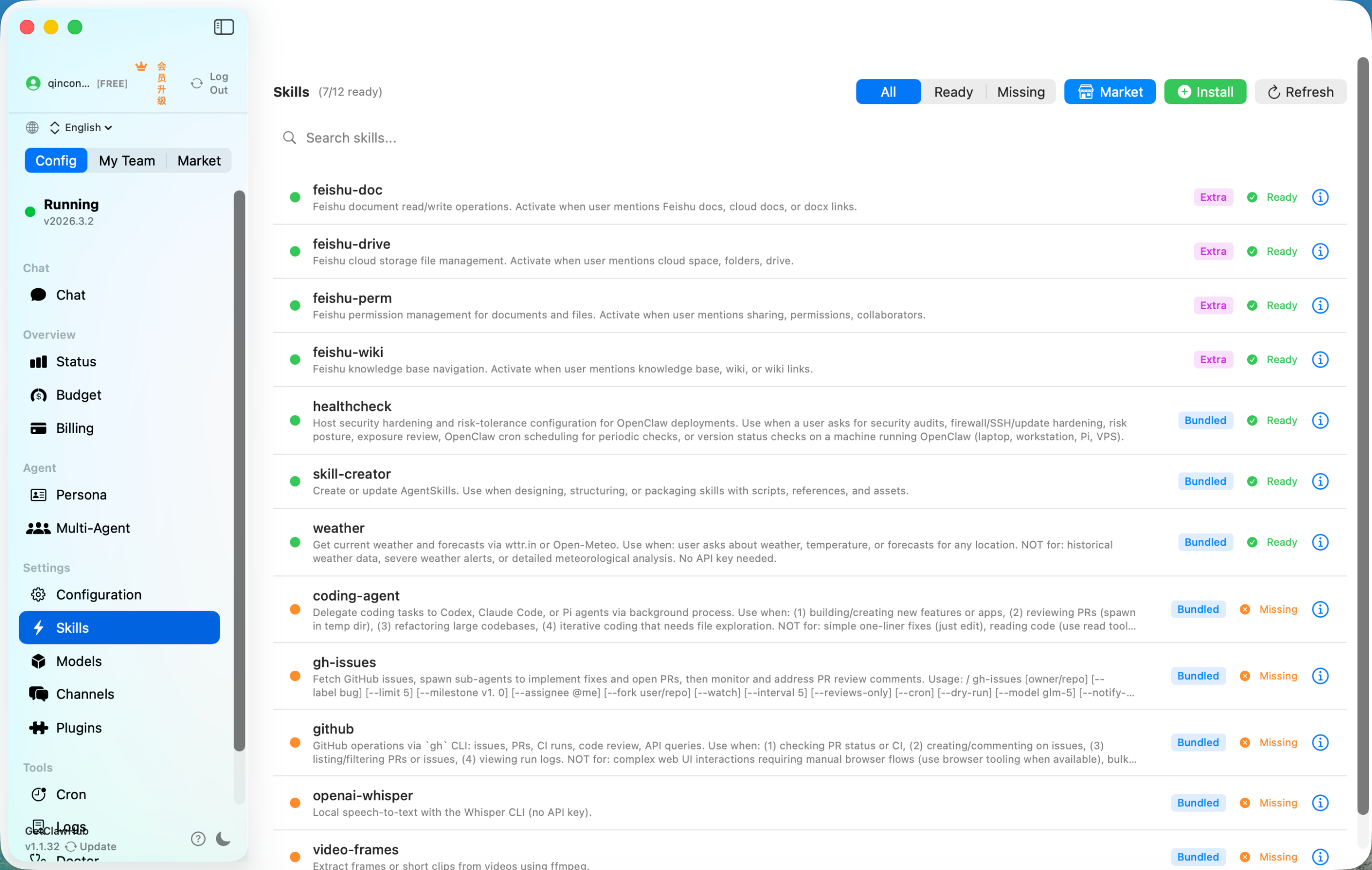
The Skills page lets you browse, enable, and manage purpose-built capabilities — from coding assistance to creative writing, research, and more. Activate the skills you need and OpenClaw adapts its behavior to match your workflow instantly.
OpenClaw's chat interface is built for real conversations. Messages are beautifully formatted with code highlighting, markdown rendering, and a responsive input area that keeps pace with your thinking. Every conversation feels natural, fast, and genuinely useful.
GetClawHub supports both Apple Silicon and Intel Macs. Not sure which chip you have? Click the Apple menu (🍎) → About This Mac — look for "Apple M1/M2/M3/M4" (Silicon) or "Intel" (Intel).
✅ Both versions include unlimited free conversations — no account needed to get started.
After your free chats, create a free account to continue with unlimited access.
"I'd been trying to install OpenClaw from the official repo for two days. GetClawHub had me up and running in literally 45 seconds. The one-click install actually works — no errors, no headaches."
"The unlimited free conversations were more than enough to convince me. I used them to draft a client proposal and the quality blew me away. Created my account and haven't looked back since."
"I switched our whole team to GetClawHub for managing OpenClaw on their Macs. Apple Silicon and Intel machines both handled perfectly with the right installer. Everyone was up and running in minutes."
"I'm not technical at all. The guided setup wizard held my hand through every step. Now I use OpenClaw every single day for content writing and I couldn't imagine working without it."
"The verified, signed builds are a huge deal for me. I manage security for a mid-size company and I can't install random binaries. GetClawHub's integrity checks gave me confidence to deploy OpenClaw organization-wide."
"The update notifications are my favorite small feature. I always have the latest OpenClaw model improvements without having to check release notes or re-download anything manually."
Download in one click. Start chatting in under a minute. Unlimited free conversations are waiting for you — no card, no fuss.
⬇ Download OpenClaw FreemacOS Apple Silicon · Auto-detected · Always verified